



Table of Contents
ToggleVR gaming tools have transformed how players experience virtual worlds. The right combination of hardware, software, and accessories determines whether a session feels truly immersive or frustratingly limited. This guide breaks down the essential VR gaming tools every player needs, from headsets and controllers to platforms and add-ons that make virtual reality worth the investment.
Whether someone is building their first setup or upgrading an existing one, understanding VR gaming tools helps them make smarter purchasing decisions. The market offers dozens of options at every price point. Knowing what matters (and what’s just marketing hype) saves both money and disappointment.
Key Takeaways
- VR gaming tools include headsets, controllers, tracking systems, and software platforms that work together to create immersive experiences.
- Top headset options range from the standalone Meta Quest 3 ($500) to premium PC-connected devices like the Valve Index ($999).
- SteamVR, Meta Quest Store, and PlayStation Store serve as the primary platforms for accessing VR game libraries.
- Comfort accessories like elite straps, prescription lens inserts, and external battery packs significantly extend play sessions.
- Budget, available play space, and preferred game genres should guide your VR gaming setup decisions.
- PC-connected VR gaming tools offer better long-term upgrade potential, while standalone headsets provide convenience and lower entry costs.
Must-Have VR Hardware for Gaming
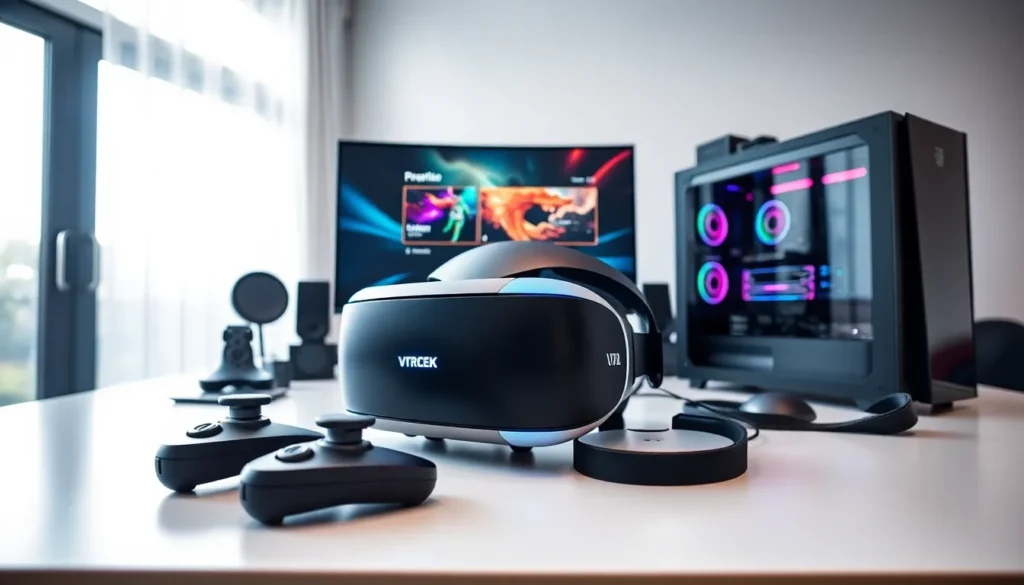
A quality VR headset sits at the center of any setup. The Meta Quest 3, released in late 2023, offers standalone play without a PC. It costs around $500 and delivers sharp visuals with mixed reality capabilities. For PC-connected experiences, the Valve Index remains a top choice, though its $999 price tag reflects premium build quality and 144Hz refresh rate support.
PlayStation VR2 serves console gamers with eye-tracking technology and haptic feedback built into the headset. It launched in early 2023 at $549 and requires a PlayStation 5.
Controllers matter just as much as the headset itself. Most VR gaming tools ship with motion controllers included. The Meta Touch Plus controllers track hand movements with precision. Valve’s Index Controllers strap to the user’s hands, allowing natural grip and release motions during gameplay.
A capable computer powers PC-based VR gaming tools. Minimum specs typically include an NVIDIA RTX 3060 or AMD equivalent, 16GB of RAM, and a recent Intel or AMD processor. Higher-end cards like the RTX 4070 deliver smoother frame rates in demanding titles.
Tracking systems vary between devices. Inside-out tracking uses cameras on the headset to monitor movement. Outside-in tracking relies on external sensors placed around the room. Both work well, though inside-out tracking simplifies setup considerably.
Essential VR Software and Platforms
SteamVR dominates PC-based VR gaming. Valve’s platform hosts thousands of titles and works with most major headsets. Users access their existing Steam libraries and discover VR-specific content in one place.
The Meta Quest Store serves standalone Quest users. It offers optimized games that run directly on the headset without external hardware. Popular titles like Beat Saber and Resident Evil 4 VR live here.
PlayStation VR2 games come through the PlayStation Store. Sony’s platform features exclusive titles like Horizon Call of the Mountain and Gran Turismo 7 VR modes.
Virtual Desktop allows Quest owners to stream PC VR content wirelessly. This software bridges standalone and PC gaming, giving users access to both ecosystems. A strong Wi-Fi 6 router makes wireless streaming practical.
SideQuest opens doors to experimental and indie VR gaming tools. This third-party platform hosts free demos, beta versions, and games not available on official stores. It requires enabling developer mode on Quest devices.
Social VR platforms like VRChat and Rec Room provide free experiences where millions gather daily. These applications demonstrate what VR gaming tools can do beyond traditional games, live concerts, comedy shows, and collaborative creation spaces all exist within these virtual environments.
Accessories That Enhance Your VR Experience
Comfort accessories extend play sessions significantly. The stock head strap on most headsets works fine for short periods. Elite straps with rear batteries balance weight better and add hours of playtime. Brands like BOBOVR and KIWI design offer alternatives to official accessories at lower prices.
Prescription lens inserts help players who wear glasses. Companies like VR Optician and Reloptix create custom lenses that snap into headsets. This eliminates the discomfort of squeezing glasses under the headset and prevents scratched lenses.
Facial interfaces improve hygiene and comfort. Silicone covers wipe clean between sessions. Leather or pleather replacements feel cooler against skin during intense games. VR Cover manufactures options for most popular headsets.
External battery packs double or triple play time on standalone devices. A 10,000mAh power bank connected via USB-C keeps the Quest 3 running for 4-6 hours instead of the standard 2 hours.
Full-body tracking systems add leg and torso movement to VR. SlimeVR offers affordable trackers starting around $200 for a basic set. HTC’s Vive Trackers work with lighthouse-based systems for precise tracking in social VR applications.
Haptic vests like the bHaptics TactSuit deliver physical feedback across the torso. Getting shot in a game produces a tap on the corresponding body location. These accessories cost $300-500 and add a layer of immersion standard VR gaming tools can’t match.
How to Choose the Right VR Gaming Setup
Budget determines the starting point for most buyers. Entry-level VR gaming tools like the Meta Quest 3 offer complete experiences under $500. Premium setups with a Valve Index and gaming PC easily exceed $2,500.
Play space requirements matter more than many realize. Room-scale VR needs a minimum 6.5 x 6.5 foot cleared area. Seated experiences work in smaller spaces. Players should measure their available room before purchasing.
Game library preferences guide platform choice. Horror fans might prioritize Resident Evil 4 VR on Quest. Racing enthusiasts benefit from PlayStation VR2’s Gran Turismo support. Simulation players often need PC VR for titles like Microsoft Flight Simulator.
Comfort during extended sessions varies by headset design. Heavier units like the original Quest 2 strain necks over time. Lighter designs or proper counterweights solve this problem. Trying headsets before buying, at retail stores or through friends, prevents expensive mistakes.
Future upgrade paths deserve consideration. Standalone headsets limit performance to onboard processors. PC-connected VR gaming tools scale with graphics card upgrades. Users planning long-term investment might prefer the PC route even though higher initial costs.
Physical requirements differ between activities. Fitness games demand standing room and free arm movement. Social VR often works fine seated. Flight simulators benefit from dedicated chairs and HOTAS controllers. Matching hardware to intended use prevents buyer’s remorse.