


Table of Contents
ToggleVR gaming for beginners can feel overwhelming at first glance. Dozens of headsets, hundreds of games, and technical specs that read like a foreign language, it’s a lot. But here’s the good news: getting started is simpler than most people think. Virtual reality has matured significantly over the past few years. Prices have dropped, setup processes have streamlined, and the game library has expanded to include something for everyone. This guide breaks down everything new players need to know. From understanding how VR actually works to picking the right headset and games, readers will find practical answers without the tech jargon.
Key Takeaways
- VR gaming for beginners is more accessible than ever, with streamlined setups, lower prices, and an expanding game library.
- Standalone headsets like the Meta Quest 3 offer the best balance of cost and convenience for new VR players.
- Prepare a clear play space of at least 6.5 by 6.5 feet and set up guardian boundaries to stay safe while immersed.
- Start with beginner-friendly games like Beat Saber, Superhot VR, or Job Simulator to build comfort and avoid motion sickness.
- Take regular breaks every 30–45 minutes and give yourself one to two weeks to develop your “VR legs” before trying intense locomotion games.
What Is VR Gaming and How Does It Work
VR gaming places players inside a three-dimensional digital environment. Instead of watching a screen, users wear a headset that displays images directly in front of their eyes. Motion sensors track head movements, so looking around in real life translates to looking around in the game.
The technology relies on a few key components working together. Stereoscopic displays create depth perception by showing slightly different images to each eye. Gyroscopes and accelerometers detect rotation and movement. Some systems add external sensors or cameras to track the player’s position in a room.
Controllers complete the experience. Most VR systems include handheld devices that let players interact with virtual objects. These controllers track hand position and often include buttons, triggers, and thumbsticks.
The result is immersion. When VR gaming works well, players forget they’re standing in their living room. They duck behind cover, reach out to grab objects, and physically turn to see what’s behind them. This physical engagement separates VR gaming from traditional gaming experiences.
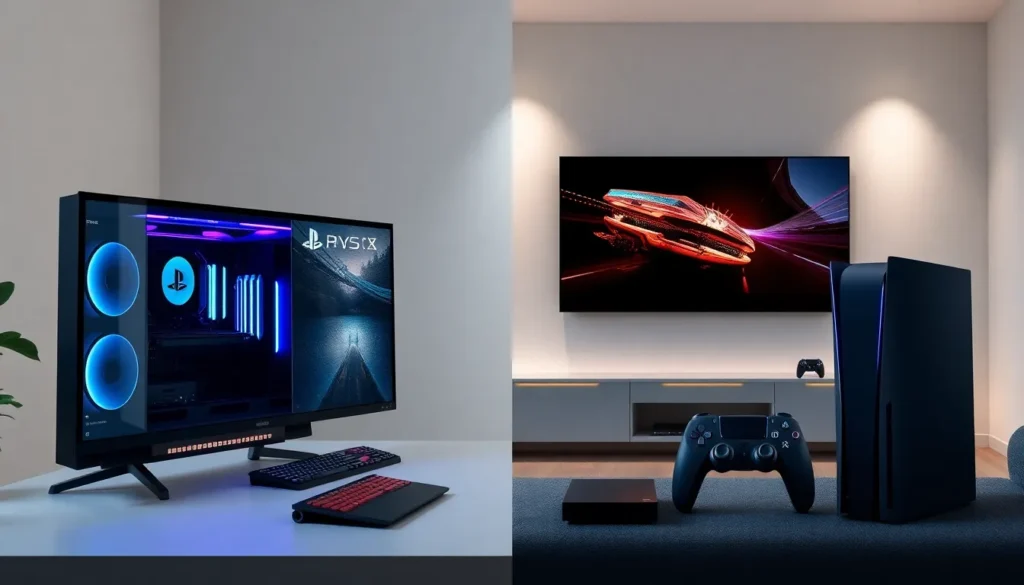
Modern VR headsets fall into two main categories. Standalone headsets contain all necessary hardware, no computer or console required. Tethered headsets connect to a PC or gaming console and typically offer higher visual fidelity. Both options provide genuine VR gaming experiences, though they differ in price, performance, and convenience.
Choosing Your First VR Headset
Selecting a first VR headset comes down to budget, preferences, and existing hardware. The market offers options at various price points, each with trade-offs worth considering.
The Meta Quest 3 stands as the most popular entry point for VR gaming for beginners in 2024. It works as a standalone device, meaning no PC connection is necessary. Players can also connect it to a gaming PC for access to more demanding titles. Pricing starts around $500, making it accessible for most budgets.
Sony’s PlayStation VR2 appeals to PlayStation 5 owners. It delivers excellent visual quality and integrates seamlessly with the PS5 ecosystem. The $550 price tag doesn’t include the console, so this option suits those who already own Sony’s hardware.
PC VR enthusiasts often consider the Valve Index. It offers superior tracking, a wide field of view, and exceptional build quality. The $1,000 price point and requirement for a high-end gaming PC limit its audience to dedicated players.
Budget-conscious beginners might look at the Meta Quest 2, which remains available at lower prices. While older, it still provides a solid VR gaming experience.
When choosing, consider these factors:
- Comfort: Headsets vary in weight and head strap design. Longer play sessions require comfortable fits.
- Content library: Each platform offers different exclusive games.
- Resolution: Higher pixel counts mean sharper images and less screen-door effect.
- Tracking method: Inside-out tracking (cameras on headset) versus external sensors affects setup complexity.
Most beginners find standalone headsets offer the best balance of cost, convenience, and capability. They remove barriers and let new players focus on enjoying VR gaming rather than troubleshooting technical issues.
Essential Equipment and Setup Tips
Beyond the headset itself, successful VR gaming requires some preparation and possibly additional purchases.
Play Space Requirements
VR gaming needs physical room. Most games require a minimum play area of 6.5 feet by 6.5 feet. Some titles work while seated or standing in place, but room-scale experiences deliver the full impact of VR gaming.
Clear the play area of furniture, pets, and anything breakable. VR players can’t see the real world, so obstacles become genuine hazards. Cable management matters for tethered headsets, consider ceiling-mounted cable guides to prevent tripping.
Accessories Worth Considering
Several accessories improve the VR gaming experience:
- Prescription lens inserts: Glasses wearers often find dedicated lenses more comfortable than wearing frames inside the headset.
- Replacement face covers: Stock foam pads absorb sweat. Silicone or leather alternatives clean easily.
- Extended battery packs: Standalone headsets typically last 2-3 hours. Battery straps add weight to the back (improving balance) while extending playtime.
- Protective cases: VR headsets are delicate. A case prevents damage during storage or transport.
Setup Best Practices
Proper initial setup prevents frustration later. Follow these steps:
- Charge the headset and controllers fully before first use.
- Download companion apps on your smartphone for easier configuration.
- Update firmware immediately, manufacturers frequently release improvements.
- Adjust the interpupillary distance (IPD) to match your eyes. Wrong settings cause eye strain and blurry images.
- Start with the guardian or boundary system. This virtual wall warns players when they approach real-world obstacles.
VR gaming demands more physical activity than traditional gaming. Keep water nearby and take breaks every 30-45 minutes. Motion sickness affects many new players, so start with stationary experiences before moving to full-locomotion games.
Best VR Games for New Players
The right first games can make or break someone’s impression of VR gaming. These titles offer accessible mechanics, minimal motion sickness risk, and genuine fun.
Beat Saber remains the go-to recommendation for VR gaming beginners. Players slash colored blocks with lightsabers in rhythm with music. The concept takes seconds to understand, the workout is real, and the satisfaction of hitting a perfect run keeps people coming back.
Superhot VR turns players into action movie stars. Time moves only when the player moves. This mechanic allows careful planning between bursts of action and eliminates motion sickness concerns entirely.
Job Simulator provides a humorous introduction to VR interactions. Players perform absurd tasks in a robot’s interpretation of human work. It teaches VR gaming basics, grabbing, throwing, pushing buttons, without pressure or challenge.
Moss offers a different perspective. Players guide a small mouse through puzzles and combat from a third-person view. It demonstrates VR gaming’s range beyond first-person experiences.
Walkabout Mini Golf surprises many newcomers. The simple premise, miniature golf in VR, sounds unexciting on paper. In practice, the sense of presence and well-designed courses create a relaxing, social experience perfect for playing with friends.
For those ready for more intensity, Half-Life: Alyx represents the pinnacle of VR gaming design. This full-length adventure showcases what the medium can achieve, though it requires a PC-connected setup.
Start with shorter sessions on simpler games. VR gaming takes adjustment. Most players develop their “VR legs” within a week or two of regular play. Pushing through discomfort leads to negative associations with the technology, so pacing matters.