

Table of Contents
TogglePC gaming techniques separate casual players from competitive ones. Whether someone plays first-person shooters, strategy games, or battle royales, the right skills make a measurable difference in performance. Raw talent matters, but technique matters more.
This guide covers essential PC gaming techniques that help players improve their accuracy, speed, and decision-making. From mouse control fundamentals to strategic thinking, these methods apply across genres. Players who master these techniques gain a clear advantage over opponents who rely on instinct alone.
Key Takeaways
- Mastering PC gaming techniques like mouse sensitivity and keybinds creates a foundation for competitive performance.
- Lower mouse sensitivity with a large mousepad allows for precise aiming and consistent headshots.
- Prioritize higher frame rates over graphics quality—144 FPS on a 144Hz monitor significantly improves responsiveness.
- Strategic thinking, including map knowledge and reading opponents, separates good players from great ones.
- Daily aim training sessions of 15–30 minutes build muscle memory more effectively than occasional long practice.
- Record and review your gameplay to identify mistakes and turn weaknesses into targeted practice opportunities.
Mastering Mouse and Keyboard Controls
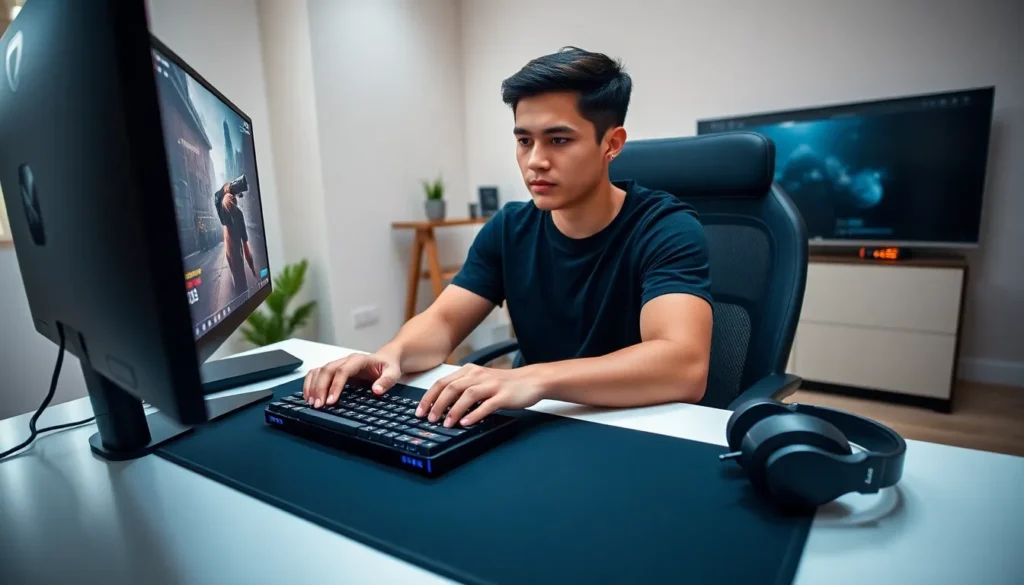
Mouse and keyboard control forms the foundation of all PC gaming techniques. Players who struggle with input precision will hit a skill ceiling quickly, regardless of game knowledge.
Finding the Right Mouse Sensitivity
Mouse sensitivity determines how fast the cursor or crosshair moves relative to physical mouse movement. Most professional players use lower sensitivity settings than beginners expect. A lower DPI (dots per inch) combined with a large mousepad allows for precise micro-adjustments.
Players should experiment with sensitivity until they can:
- Track moving targets smoothly
- Make 180-degree turns without lifting the mouse repeatedly
- Land consistent headshots at various distances
Keyboard Positioning and Keybinds
The standard WASD setup works for most games, but custom keybinds can improve reaction time. Players should bind frequently used abilities to keys their fingers can reach without repositioning their hand. The thumb, for example, can handle multiple binds using the spacebar area and nearby keys.
Many skilled players rebind crouch to a thumb button or remap reload to a more accessible key. Small changes reduce the time between decision and action. That fraction of a second often decides gunfights.
Grip Styles and Ergonomics
Three main mouse grip styles exist: palm grip, claw grip, and fingertip grip. Each offers different advantages:
- Palm grip provides comfort during long sessions
- Claw grip allows quick clicking and precise movements
- Fingertip grip offers maximum agility for micro-adjustments
No single grip works best for everyone. Players should try each style and choose based on their hand size and preferred games.
Optimizing Your Game Settings for Performance
PC gaming techniques extend beyond physical skill. The right settings create a smoother, more responsive experience that supports better gameplay.
Frame Rate and Refresh Rate
Higher frame rates provide smoother visuals and faster input response. Competitive players often prioritize frame rate over graphical quality. A stable 144 FPS on a 144Hz monitor feels dramatically different from 60 FPS.
Players should adjust graphics settings to maintain consistent frame rates above their monitor’s refresh rate. Turning down shadows, anti-aliasing, and post-processing effects typically yields the biggest performance gains.
Display Settings That Matter
Several display settings directly affect gameplay:
- V-Sync: Disabling V-Sync reduces input lag but may cause screen tearing
- Field of View (FOV): A wider FOV shows more of the environment but makes targets appear smaller
- Resolution: Native resolution provides the sharpest image, but lower resolutions boost frame rates
Audio Configuration
Sound design in competitive games provides crucial information. Footsteps, ability sounds, and environmental audio reveal enemy positions. Players should use headphones and configure audio settings to emphasize important game sounds over background music or ambient noise.
Some games offer competitive audio presets that boost footstep volume. These settings give players an auditory advantage that visual information alone cannot match.
Developing Strategic Thinking and Game Sense
Mechanical skill only carries players so far. Strategic thinking separates good players from great ones.
Map Knowledge and Positioning
Every competitive game rewards map knowledge. Players who understand sightlines, choke points, and rotation paths make smarter decisions under pressure. They know where enemies likely appear and position themselves accordingly.
Studying maps outside of matches accelerates learning. Many players review professional gameplay or use custom modes to explore map geometry without combat pressure.
Reading Opponents
Experienced players predict enemy behavior based on patterns. They notice when opponents repeat strategies, overcommit to positions, or telegraph their next move. This awareness allows preemptive responses rather than reactive ones.
PC gaming techniques like crosshair placement rely on prediction. Players who pre-aim common angles land shots faster because they anticipated where enemies would appear.
Resource and Economy Management
Many competitive games include economic systems. Knowing when to save resources, when to invest, and when to force a risky play requires game-specific knowledge and practice. Economy mistakes compound over multiple rounds and can cost otherwise winnable matches.
Building Muscle Memory Through Practice
Consistent practice transforms PC gaming techniques from conscious effort into automatic response. Muscle memory allows players to execute complex actions without thinking about the mechanics.
Aim Training Routines
Dedicated aim trainers like Aim Lab or Kovaak’s offer structured practice scenarios. These programs isolate specific skills:
- Tracking: Following moving targets smoothly
- Flicking: Snapping to stationary targets quickly
- Switching: Moving between multiple targets efficiently
Short daily sessions produce better results than occasional marathon practice. Fifteen to thirty minutes of focused aim training before playing matches warms up muscle memory and reinforces good habits.
Deliberate Practice vs. Casual Play
Playing matches alone doesn’t guarantee improvement. Deliberate practice requires focused attention on specific weaknesses. A player who dies repeatedly to the same mistake should isolate that scenario and drill it until the correct response becomes automatic.
Recording gameplay helps identify patterns that feel invisible in the moment. Reviewing deaths often reveals positioning errors, missed shots, or poor decisions that players can address through targeted practice.
Consistency Over Intensity
Players who practice PC gaming techniques daily improve faster than those who binge occasionally. The brain consolidates skills during rest, so shorter frequent sessions outperform infrequent long ones. Even twenty minutes of quality practice each day builds significant skill over weeks and months.